> ## Documentation Index
> Fetch the complete documentation index at: https://docs.reown.com/llms.txt
> Use this file to discover all available pages before exploring further.
# Report an Issue
> Report bugs, share feedback, and get help through the Reown Dashboard
The [Reown Dashboard](https://dashboard.reown.com/) is your single place to report bugs, share feedback, send us a message, and get help resolving issues with our AI-powered support.
## How to Report an Issue
Follow these steps to get in touch with our support team:
### Step 1 - Log in to the Reown Dashboard
Go to [dashboard.reown.com](https://dashboard.reown.com/) and log in with your account.
### Step 2 - Open the Help Center
Once logged in, click the **chat bubble** in the bottom-right corner of the page, or choose **Report a bug** from the **Help Center** sidebar.
 ### Step 3 - Choose an Option
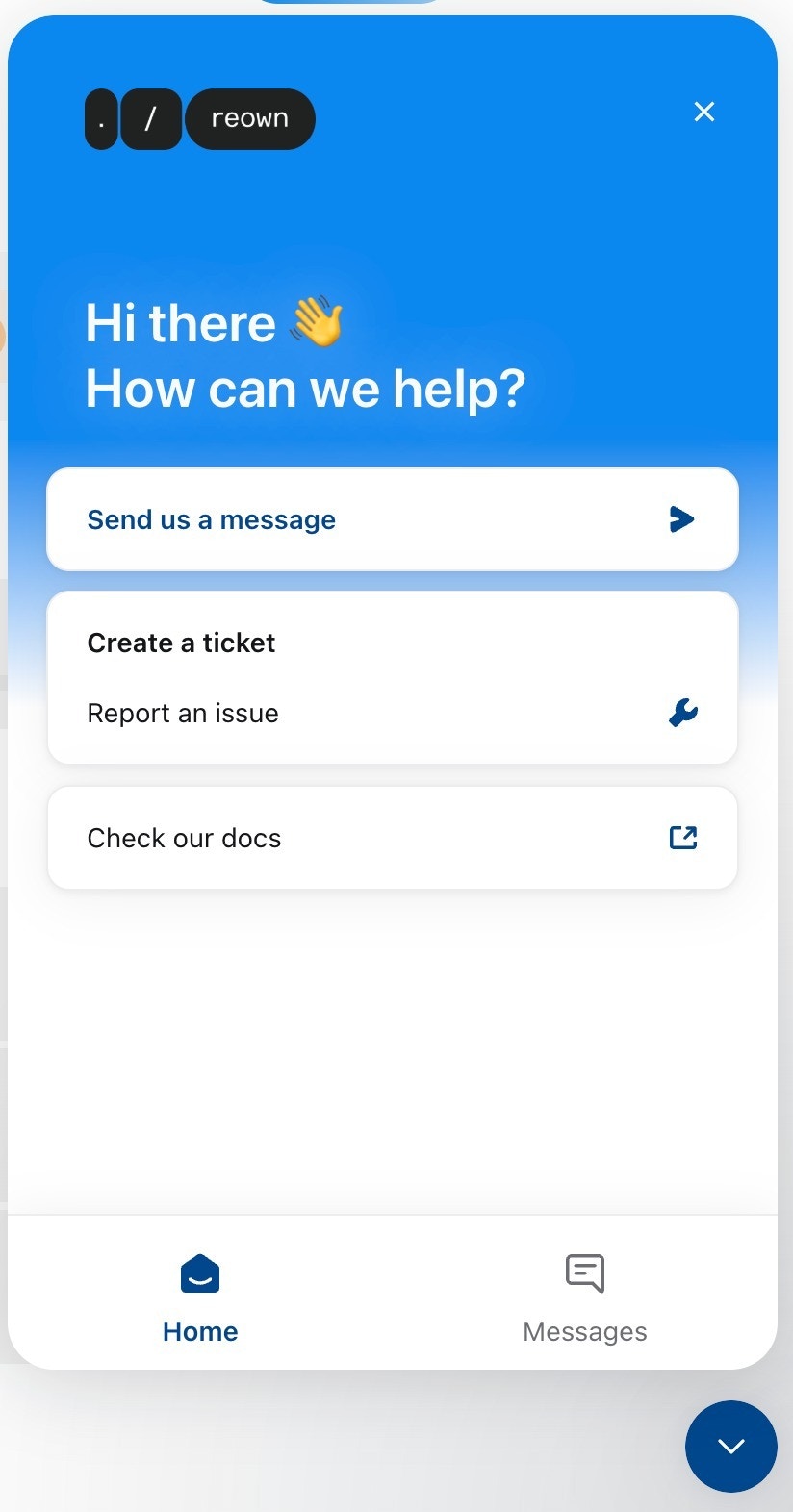
From the help desk modal, select the option that best fits your needs:
* **Send us a message** - Reach out directly to our support team.
* **Create a ticket / Report an issue** - File a bug report or request assistance with a technical problem.
* **Check our docs** - Browse through our documentation for answers.
### Step 3 - Choose an Option
From the help desk modal, select the option that best fits your needs:
* **Send us a message** - Reach out directly to our support team.
* **Create a ticket / Report an issue** - File a bug report or request assistance with a technical problem.
* **Check our docs** - Browse through our documentation for answers.
 Our team will review your submission and get back to you as soon as possible.
## Support Response Times
Depending on your plan, you can expect different levels of support:
**Response time & expert issue resolution:** Up to 7 days.
In-dashboard support with the ability to create support tickets.
**Guaranteed 24-hour response time** and expert issue resolution.
Prioritized support across multiple channels (email, Slack, Telegram, ticketing system).
### Upgrade Your Plan
Want faster response times and dedicated support? You can upgrade your plan directly from the [Reown Dashboard](https://dashboard.reown.com/):
1. Log in to [dashboard.reown.com](https://dashboard.reown.com/)
2. Click the **"Upgrade Now"** button in the top right-hand corner
3. Choose **[Pro](/appkit/paid-plans/pro)** or **[Enterprise](/appkit/paid-plans/enterprise)** depending on your needs
For a full comparison of all plans and pricing, visit reown.com/pricing.
Our team will review your submission and get back to you as soon as possible.
## Support Response Times
Depending on your plan, you can expect different levels of support:
**Response time & expert issue resolution:** Up to 7 days.
In-dashboard support with the ability to create support tickets.
**Guaranteed 24-hour response time** and expert issue resolution.
Prioritized support across multiple channels (email, Slack, Telegram, ticketing system).
### Upgrade Your Plan
Want faster response times and dedicated support? You can upgrade your plan directly from the [Reown Dashboard](https://dashboard.reown.com/):
1. Log in to [dashboard.reown.com](https://dashboard.reown.com/)
2. Click the **"Upgrade Now"** button in the top right-hand corner
3. Choose **[Pro](/appkit/paid-plans/pro)** or **[Enterprise](/appkit/paid-plans/enterprise)** depending on your needs
For a full comparison of all plans and pricing, visit reown.com/pricing.