> ## Documentation Index
> Fetch the complete documentation index at: https://docs.reown.com/llms.txt
> Use this file to discover all available pages before exploring further.

# On-Ramp

On-Ramp securely provides users access to over 100 cryptocurrencies from right within your app. In just a few clicks, users can purchase tokens to support in-app activity and transactions across multiple chains. Set up in minutes with just one line of code.

<div style={{ position: 'relative', width: '100%', paddingBottom: '56.25%', height: 0 }}>
  <iframe
    style={{
  position: 'absolute',
  top: 0,
  left: 0,
  width: '100%',
  height: '100%',
  maxWidth: '720px',
  margin: '0 auto'
}}
    src="https://www.youtube.com/embed/B05eA3ufp-Y?si=hcRl_ZLf5qZ2l5pC"
    title="YouTube video player"
    frameBorder="0"
    allow="accelerometer; autoplay; clipboard-write; encrypted-media; gyroscope; picture-in-picture; web-share"
    referrerPolicy="strict-origin-when-cross-origin"
    allowFullScreen
  />
</div>

## Demo

<CardGroup cols={2}>
  <Card icon="flask" title="Try Demo" href="https://appkit-lab.reown.com/appkit/?name=wagmi" />
</CardGroup>

## Get Started

<CardGroup cols={2}>
  <Card title="React" icon="react" href="/appkit/react/transactions/onramp">
    Get started with AppKit in React.
  </Card>

  <Card title="Next.js" icon="square-n" href="/appkit/next/transactions/onramp">
    Get started with AppKit in Next.js.
  </Card>

  <Card title="Vue" icon="vuejs" href="/appkit/vue/transactions/onramp">
    Get started with AppKit in Vue.
  </Card>

  <Card title="JavaScript" icon="js" href="/appkit/javascript/transactions/onramp">
    Get started with AppKit in JavaScript.
  </Card>
</CardGroup>

## Process Overview

AppKit On-Ramp makes it easy for users to purchase crypto without the hassle of switching between multiple platforms and signing multiple messages - a simple, seamless, in-app experience for anyone looking to securely transact within web3.

For a step-by-step guide on user flow with AppKit On-Ramp, refer to our Youtube video [here](https://youtu.be/m1E_N5b3r18?t=241\&feature=shared).

<Note>
  On-Ramp is supported in the latest version of AppKit. If you are using an
  older version, make sure you upgrade.
</Note>

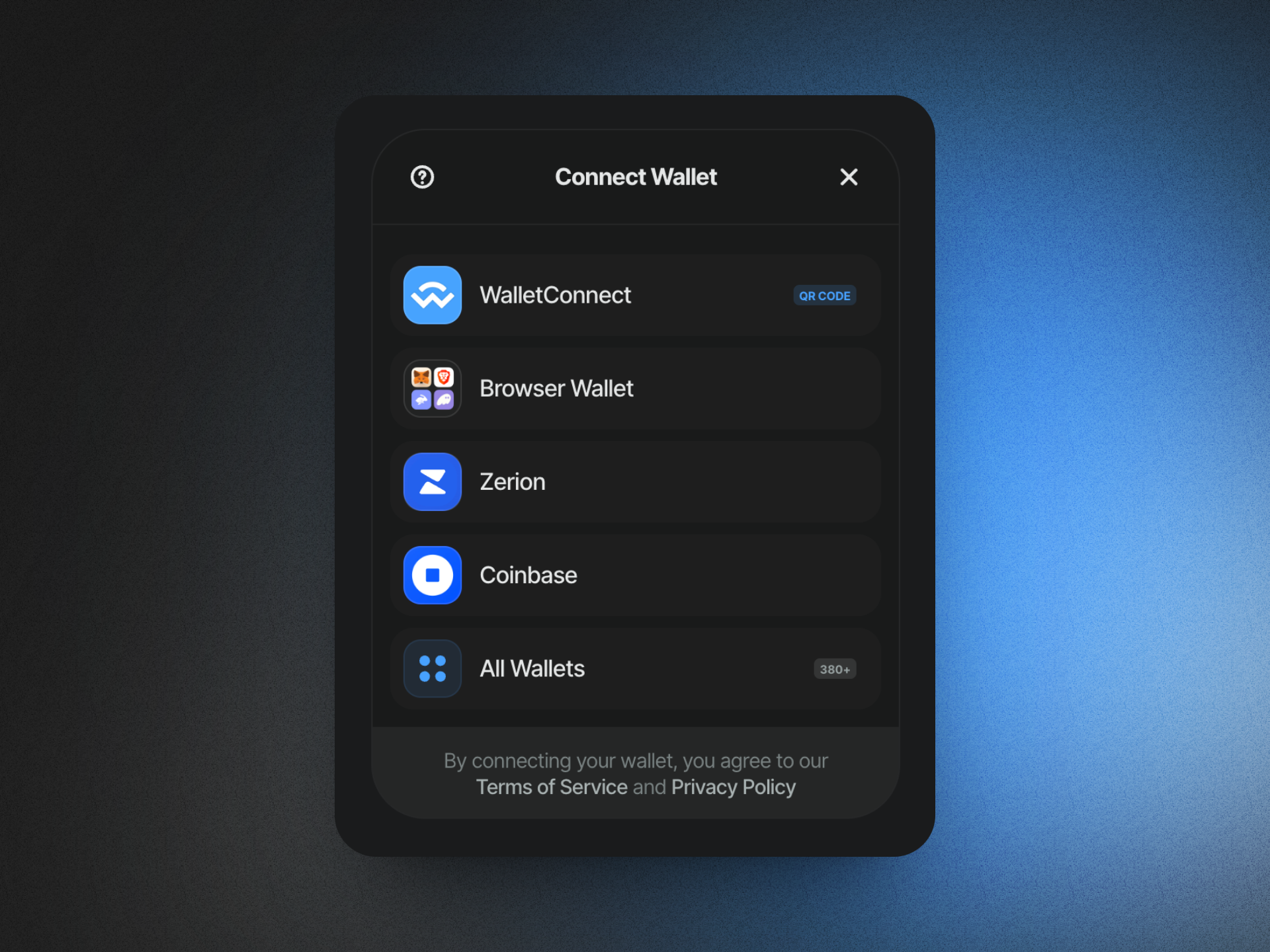
### Connect your wallet

Head over to a AppKit-enabled application and click the "Connect Wallet" button. You will be prompted to connect your wallet.

<Frame>
  <img src="https://mintcdn.com/reown-5552f0bb/pFjT1B7UtTo7EOJK/images/w3m/onramp/1.png?fit=max&auto=format&n=pFjT1B7UtTo7EOJK&q=85&s=4d121614bbd85e09dbbdb129c1df9a02" width="1920" height="1440" data-path="images/w3m/onramp/1.png" />
</Frame>

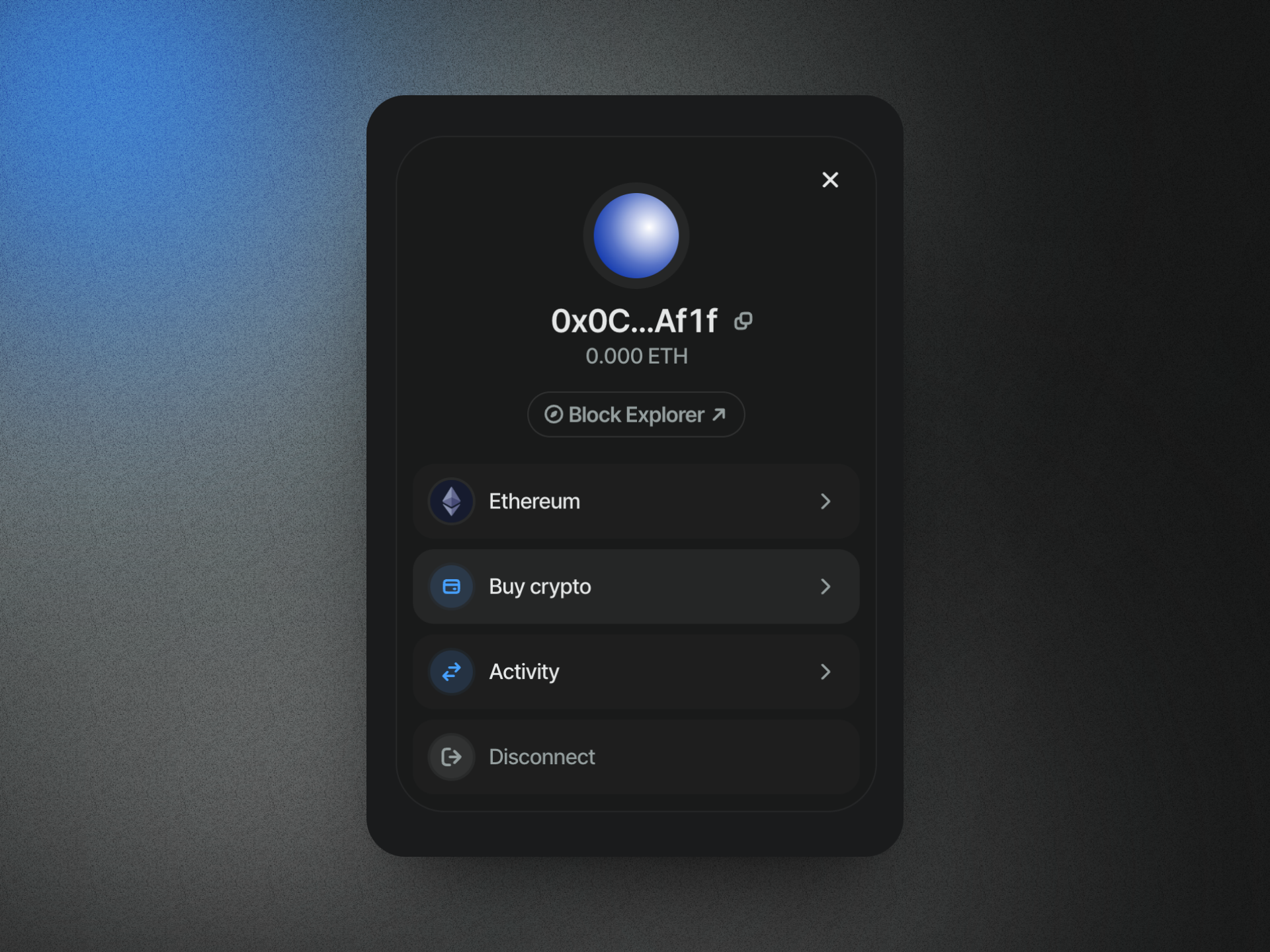
### Select "Buy Crypto"

Once connected, select "Buy Crypto" from the wallet modal.
<Frame>
  <img src="https://mintcdn.com/reown-5552f0bb/pFjT1B7UtTo7EOJK/images/w3m/onramp/2.png?fit=max&auto=format&n=pFjT1B7UtTo7EOJK&q=85&s=5c9b67f7131c260d93defd585801564a" width="1920" height="1440" data-path="images/w3m/onramp/2.png" />
</Frame>

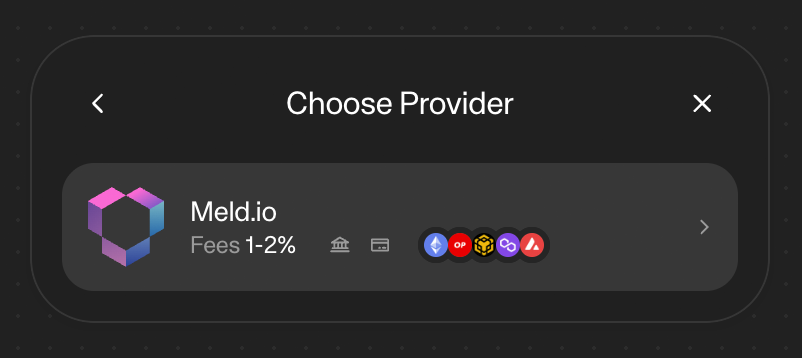
### Choose your provider

Select "Meld" as your provider.
<Frame>
  <img src="https://mintcdn.com/reown-5552f0bb/Ug_AGBE-MPjLDToT/images/w3m/onramp/3.png?fit=max&auto=format&n=Ug_AGBE-MPjLDToT&q=85&s=7d5bb799c17be3a15d7742ff2e5ac7eb" width="802" height="358" data-path="images/w3m/onramp/3.png" />
</Frame>

### Complete your purchase

Complete your purchase using your selected provider. You will be prompted to sign in to your Meld account.
If the payment page does not appear, you can copy link from the wallet modal and paste it in your browser.

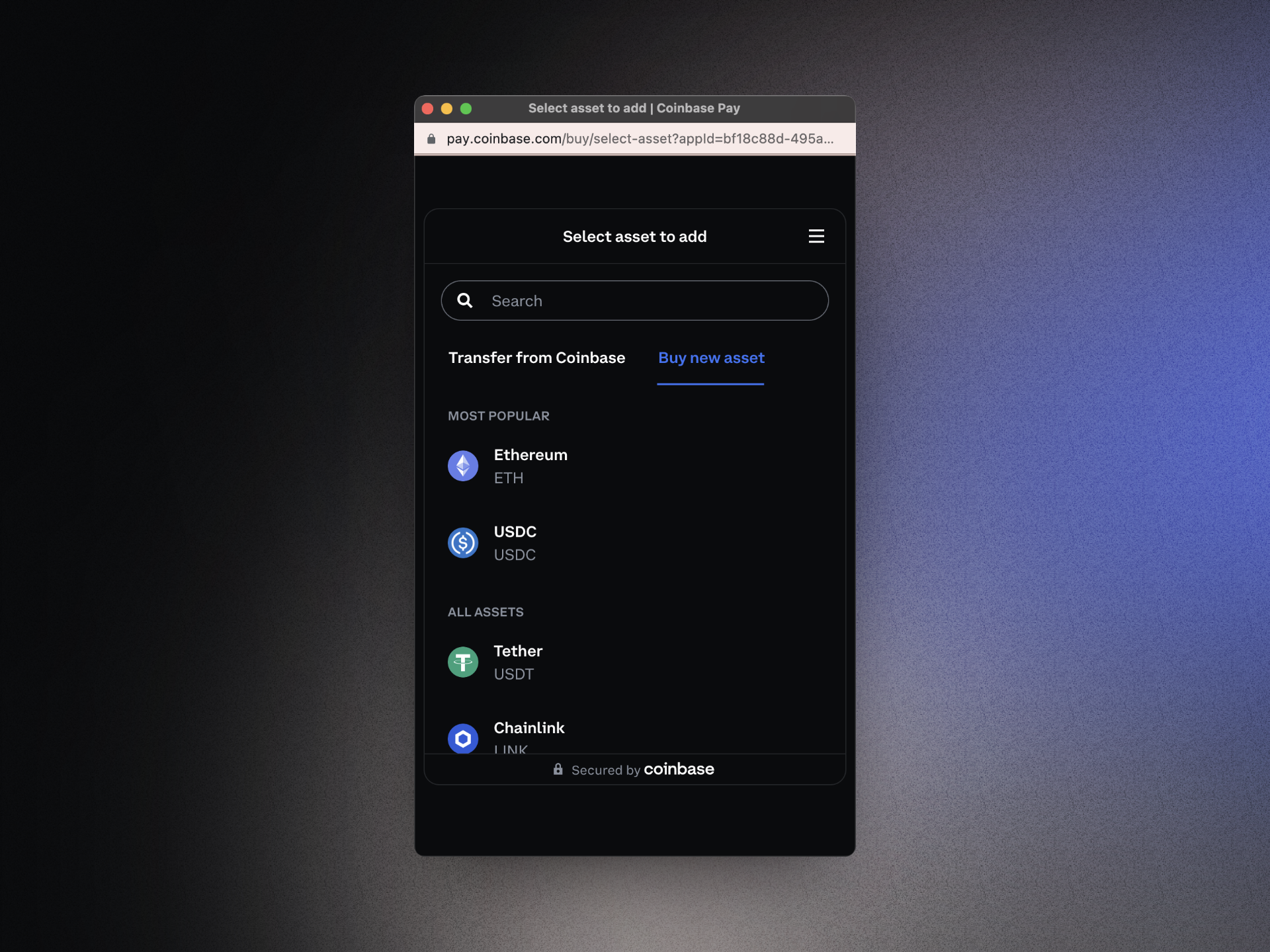
### Select assets and amount

Choose the asset and amount you would like to purchase from your selected provider.
<Frame>
  <img src="https://mintcdn.com/reown-5552f0bb/pFjT1B7UtTo7EOJK/images/w3m/onramp/5.png?fit=max&auto=format&n=pFjT1B7UtTo7EOJK&q=85&s=cf2e4fc8c3b8948ad520c26df947bf8d" width="1920" height="1440" data-path="images/w3m/onramp/5.png" />
</Frame>

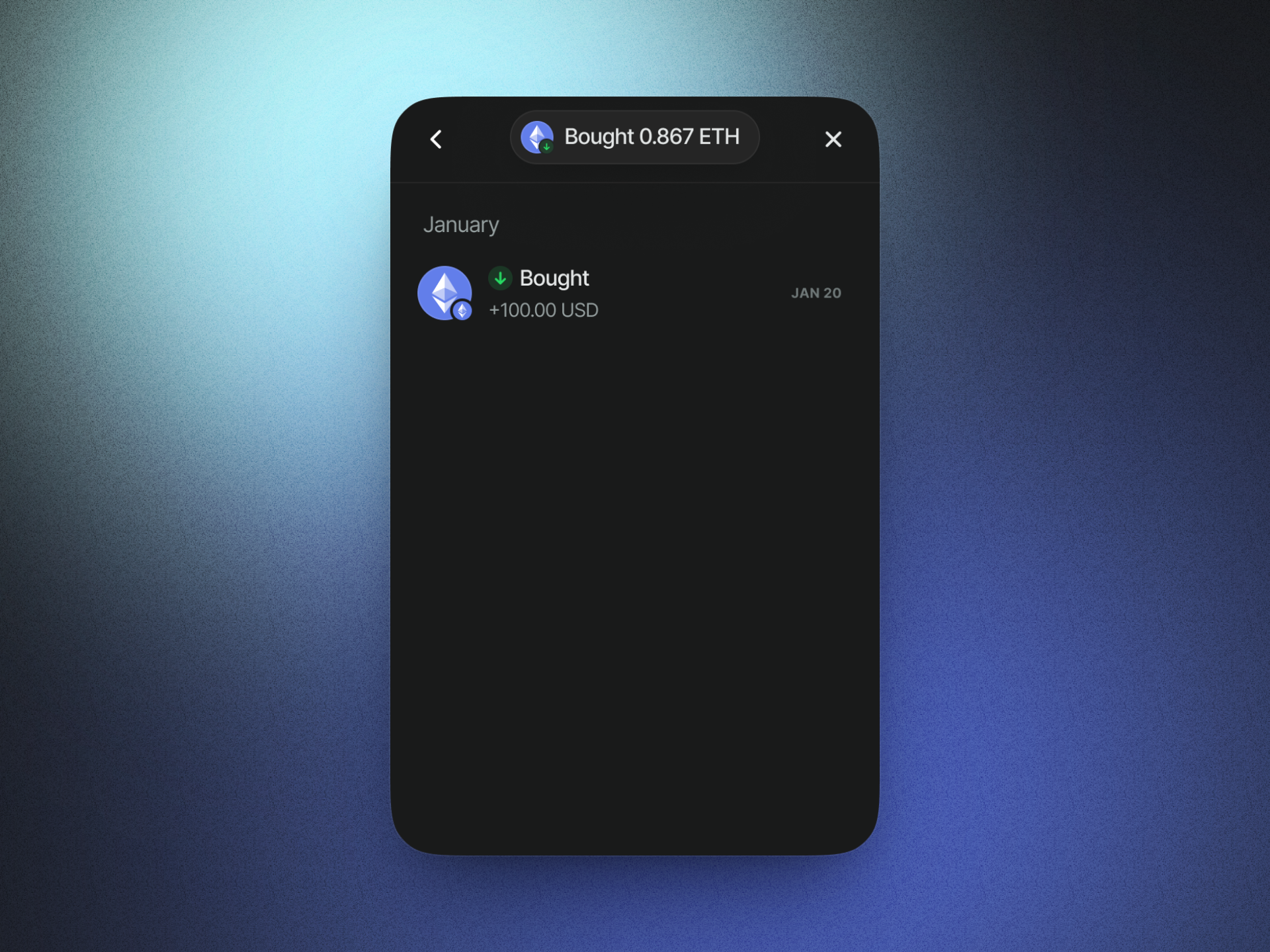
### Receive your crypto

Once your purchase is complete, you will receive your crypto in your wallet.
<Frame>
  <img src="https://mintcdn.com/reown-5552f0bb/pFjT1B7UtTo7EOJK/images/w3m/onramp/6.png?fit=max&auto=format&n=pFjT1B7UtTo7EOJK&q=85&s=a536122d4717a2c8bd0eb5162fb7c327" width="1920" height="1440" data-path="images/w3m/onramp/6.png" />
</Frame>
