> ## Documentation Index
> Fetch the complete documentation index at: https://docs.reown.com/llms.txt
> Use this file to discover all available pages before exploring further.
# SIWX
# Sign In With X
## Introduction
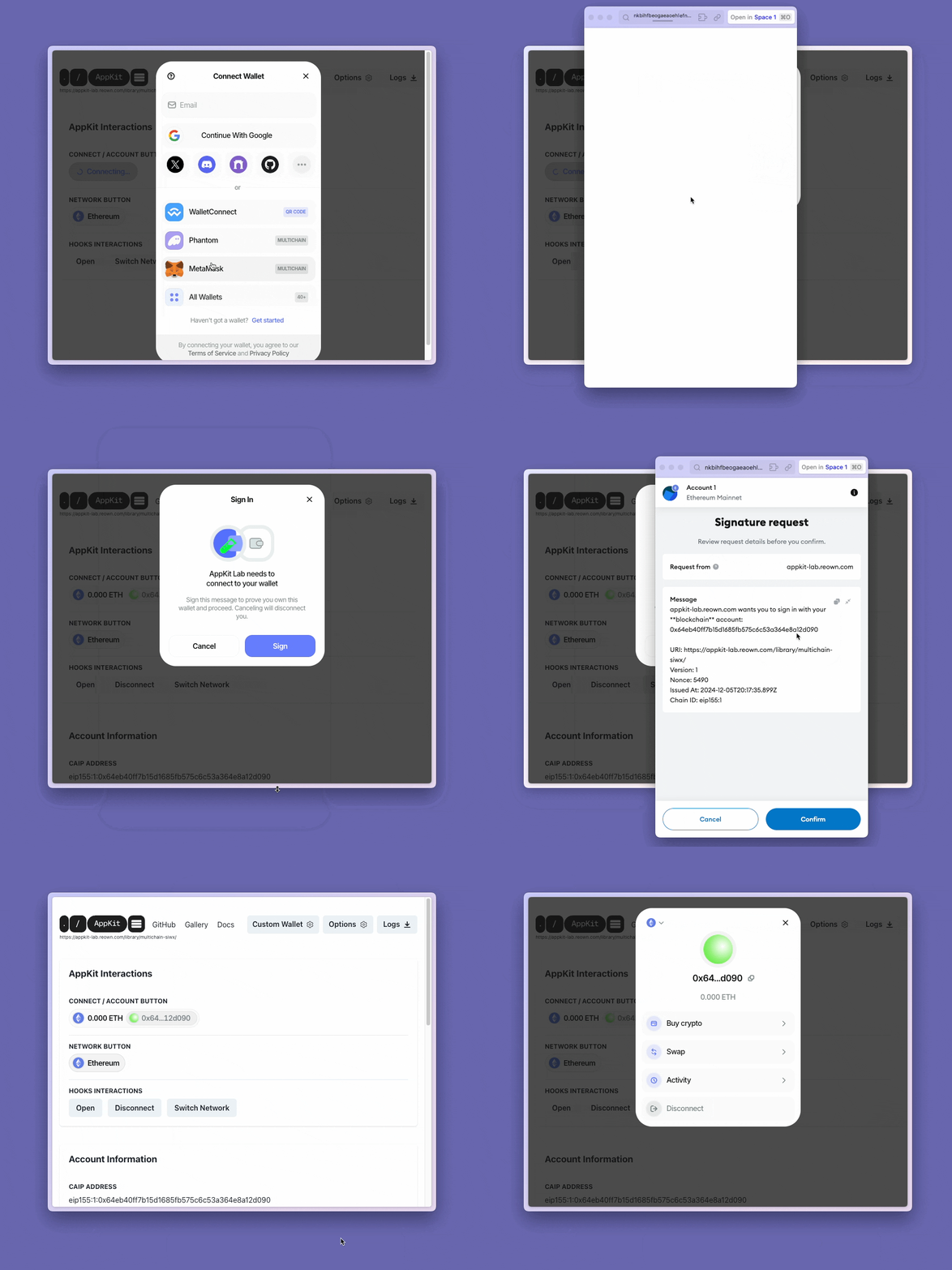
The **Sign In With X** feature enables decentralized applications (Dapps) to authenticate users seamlessly across multiple blockchain networks, such as Ethereum, Polygon or Solana. This feature allows developers using our SDK to implement authentication by having users sign a unique string message with their blockchain wallets. The **Sign In With X** feature is designed in accordance with the [CAIP-122](https://github.com/ChainAgnostic/CAIPs/blob/main/CAIPs/caip-122.md) standard, which establishes a chain-agnostic framework for blockchain-based authentication and authorization on off-chain services.
## Getting Started
**SIWX** works as a plugin system for AppKit and you are going to add the plugin in the AppKit configuration. There are some ways to implement the **SIWX** feature:
* Use Reown Authentication to manage the sessions in the Reown Dashboard
* Use the `DefaultSIWX` class provided by AppKit
* Create a custom implementation to suit your specific requirements.
To initialize the **SIWX** feature, you need to add the `siwx` parameter to the `createAppKit` function.
### Reown Authentication
Reown Authentication is a predefined implementation of the SIWX configuration plugin that uses the Cloud service to create and manage SIWX messages and sessions. With Reown Authentication, you will be able to see and control the sessions of your users using the Reown [Dashboard](/cloud/reown-authentication).
Read more about the [Reown Authentication Implementation](./reown-authentication).
### Custom Implementation
`DefaultSIWX` is a scaffold implementation of the SIWX feature for quick custom integration. It offers pre-built components to get the feature running quickly with some custom adjustments.
Additionally, the expected \` parameters can be configured to allow customization of the feature to suit your specific requirements.
The defined interface must follow specific rules to make sure that AppKit can interact with it correctly. Read more about how to have your [Custom Implementation](./siwx-custom).
## SIWX Expected Behavior
* **SIWX** will prompt to get the user signature and verify his identity every time a connection happen;
* In case a SIWX session is already stored, the user will be automatically signed in and the prompt step will be skipped;
* If the user changes the connected network, **SIWX** will prompt to get the user signature and verify his identity again;
* If the user disconnects from the Dapp, **SIWX** will revoke the session and the user will need to sign in again.
## Migrating from SIWE to SIWX
If you are currently already using **SIWE** from `@reown/appkit-siwe`, after AppKit version 1.5.0, you will be migrated into **SIWX**. The migration process is automatic and your `siweConfig` from `createAppKit` function will be mapped internally.
It is important to note that if you cannot use `siweConfig` and `siwx` at the same time, `createAppKit` will throw an error in case this happens.
You may replace `siweConfig` with your own `siwx` configuration manually if you would like to do so.