> ## Documentation Index
> Fetch the complete documentation index at: https://docs.reown.com/llms.txt
> Use this file to discover all available pages before exploring further.

# Headless

<Frame>
  <img src="https://mintcdn.com/reown-5552f0bb/2T3eGhkj44BhqxQv/images/headless.png?fit=max&auto=format&n=2T3eGhkj44BhqxQv&q=85&s=4fb76ddfd2d2641c8d4b932fde07bd02" alt="Descriptive alt text" width="2400" height="1260" data-path="images/headless.png" />
</Frame>

<Note>
  Headless is available on paid plans only. Contact us [via our form here](https://share.hsforms.com/1_oWa8QkwRXi6oR0nZ_SIxQnxw6s) to get access.
</Note>

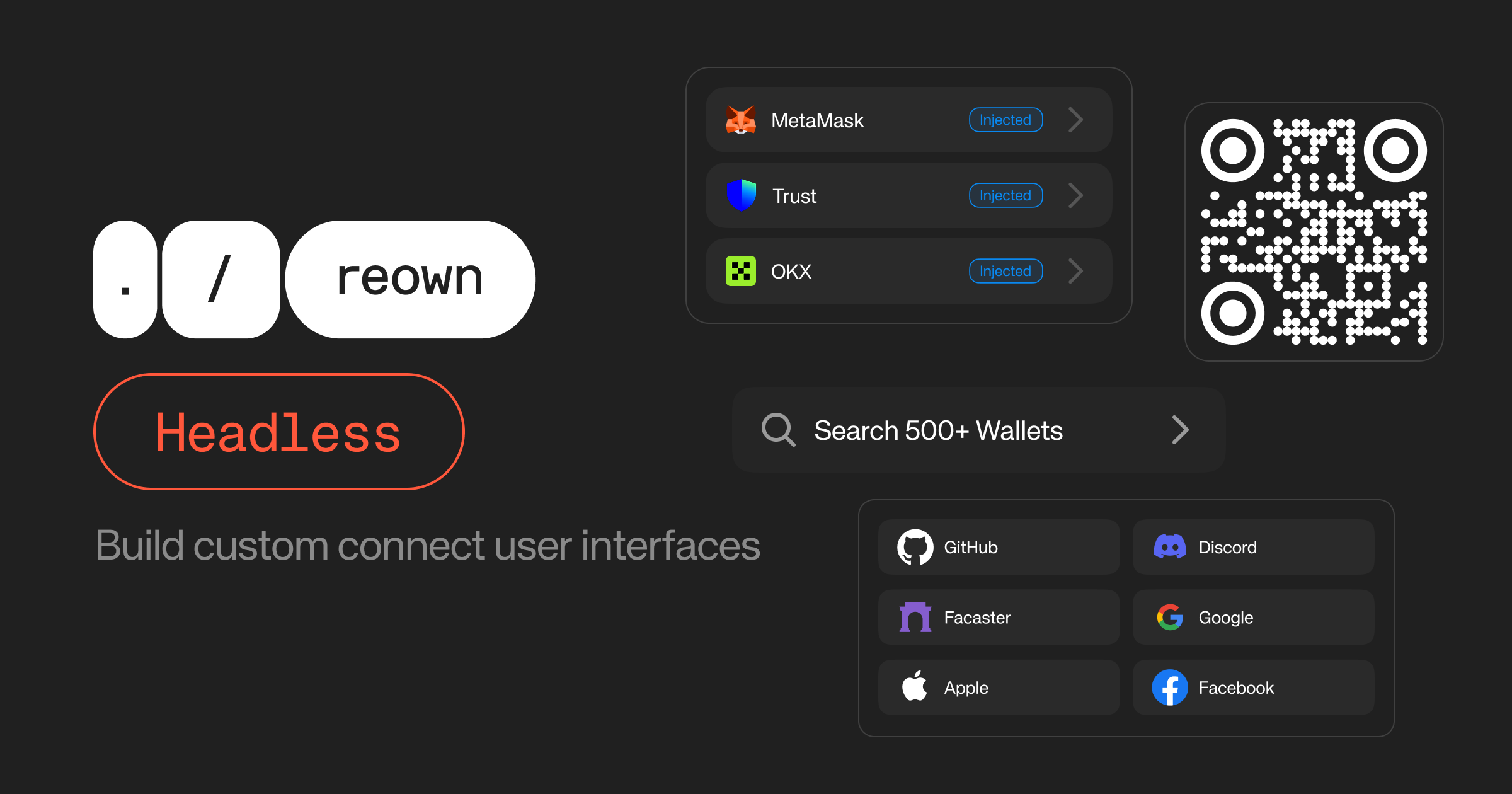
AppKit Headless allows developers to build a fully customizable "Connect" experience powered by AppKit's existing features without using the AppKit modal. Headless exposes wallet discovery, rendering WalletConnect QR codes, and social provider flows via simple hooks and utility functions.

## Installation

Headless requires AppKit to be configured with the `headless` flag. See the [installation](./installation) docs before getting started and make sure you're enabling headless as expected.

```tsx theme={null}
createAppKit({
  ...
  features: {
    headless: true
  }
})
```

## useAppKitWallets

The essential hook for accessing all types of wallets and methods to build your custom connection user interface.

<CodeGroup>
  ```tsx useAppKitWallets.tsx theme={null}
  const { wallets, wcWallets, isFetchingWallets, isFetchingWcUri, isInitialized, wcUri, connectingWallet, page, count, fetchWallets, connect, resetWcUri } =
    useAppKitWallets()
  ```
</CodeGroup>

### Returns

<ResponseField name="wallets" type="WalletItem[]">
  List of wallets for the initial connect view including WalletConnect wallets and injected wallets
  together. If the user doesn't have any injected wallets, it'll fill the list with the most ranked
  WalletConnect wallets.
</ResponseField>

<ResponseField name="wcWallets" type="WalletItem[]">
  List of WalletConnect wallets from Wallet Guide API. Useful to display all available WalletConnect
  wallets in a separate Search Wallets view.
</ResponseField>

<ResponseField name="isFetchingWallets" type="boolean">
  Boolean that indicates if WalletConnect wallets are being fetched.
</ResponseField>

<ResponseField name="isFetchingWcUri" type="boolean">
  Boolean that indicates if a WalletConnect URI is being fetched.
</ResponseField>

<ResponseField name="isInitialized" type="boolean">
  Boolean that indicates if the AppKit is initialized. It's useful to render a fallback UI when the
  AppKit initializes and detects all injected wallets.
</ResponseField>

<ResponseField name="wcUri" type="string | undefined">
  The current WalletConnect URI for QR code display. This is set when connecting to a WalletConnect
  wallet. Reset with resetWcUri().
</ResponseField>

<ResponseField name="connectingWallet" type="WalletItem | undefined">
  The wallet currently being connected to. This is set when a connection is initiated and cleared
  when it completes or fails. For WalletConnect wallets, resetWcUri() should be called to clear the
  state.
</ResponseField>

<ResponseField name="page" type="number">
  The current page number of WalletConnect wallets.
</ResponseField>

<ResponseField name="count" type="number">
  The total number of available WalletConnect wallets based on the AppKit configurations and given
  parameters.
</ResponseField>

<ResponseField name="fetchWallets" type="(options?: { page?: number; query?: string; }) => Promise<void>">
  Function to fetch WalletConnect wallets from the explorer API. Allows you to list, search, and
  paginate through the wallets.
</ResponseField>

<ResponseField name="connect" type="(wallet: WalletItem, namespace?: ChainNamespace) => Promise<void>">
  Function to connect to a wallet. For WalletConnect wallets: initiates WC connection and returns
  the URI with the `wcUri` state. For injected connectors: triggers the extension/wallet directly.
</ResponseField>

<ResponseField name="resetWcUri" type="() => void">
  Function to reset the WC URI. Useful to keep the `connectingWallet` state in sync with the WC URI.
  Can be called when the QR code is closed.
</ResponseField>

# Examples

## Build a Connect UI

<Frame>
  <img src="https://mintcdn.com/reown-5552f0bb/2T3eGhkj44BhqxQv/images/headless-connect.png?fit=max&auto=format&n=2T3eGhkj44BhqxQv&q=85&s=dd9bed09d5b3fff28e6e7a55f15cbacf" alt="Descriptive alt text" width="1766" height="1122" data-path="images/headless-connect.png" />
</Frame>

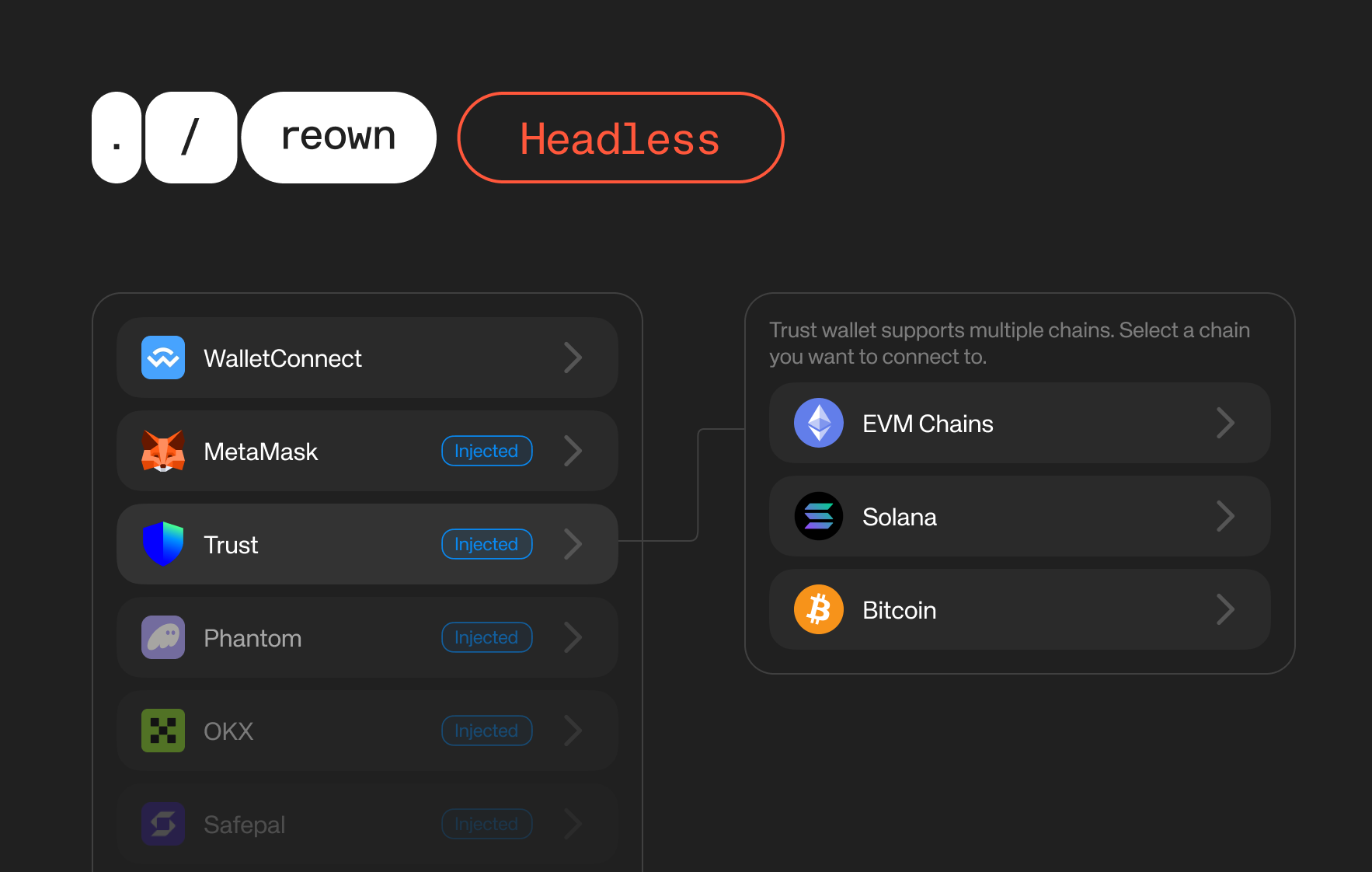
The `useAppKitWallets` hook returns a list of injected and WalletConnect wallets that let you render directly in the connect page.

If you configure your AppKit as multi-chain, we suggest rendering a namespace selection component where users should select which namespace to connect when using browser extensions. This could be achieved with the `connectors` array of the `WalletItem`.

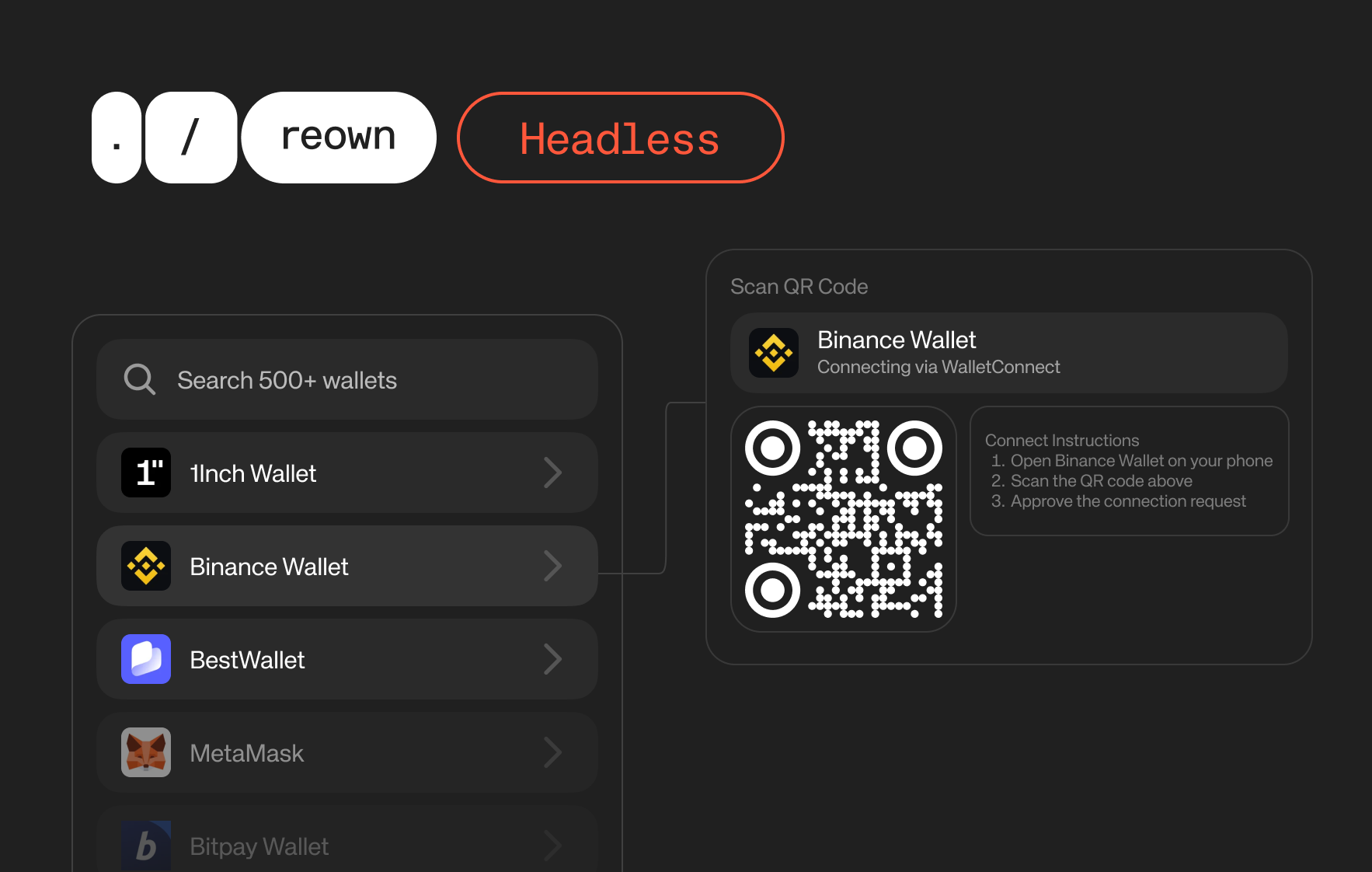
If a user selects a WalletConnect wallet, you can show the QR code to the users and let them scan it with their preferred wallets. To handle the QR flows, you can use the `isFetchingWcUri`, `wcUri`, and `resetWcUri` props from the `useAppKitWallets` hook.
<CodeGroup>
  ```tsx ConnectView.tsx theme={null}
  import React, { useState } from 'react'
  import type { WalletItem } from '@reown/appkit'
  import type { ChainNamespace } from '@reown/appkit/networks'
  import { useAppKitWallets } from '@reown/appkit/react'
  import { NamespaceSelectionDialog } from './NamespaceDialog'
  import { WalletConnectQRDialog } from './WalletConnectQRDialog'

  function ConnectView() {
    const { wallets, connect } = useAppKitWallets()
    const [selectedWallet, setSelectedWallet] = useState<WalletItem | null>(null)

    async function handleConnect(wallet: WalletItem, namespace?: ChainNamespace) {
      await connect(wallet, namespace)
        .then(() => {
          toast({ title: 'Connected', status: 'success' })
        })
        .catch(() => {
          toast({ title: 'Connection declined', status: 'error' })
        })
    }

    return (
      <>
        {wallets.map(wallet => (
          <WalletListItem
            key={wallet.id}
            wallet={wallet}
            onConnect={() => {
              if (wallet.connectors.length > 1) {
                setSelectedWallet(wallet)
              } else {
                handleConnect(wallet, wallet.connectors[0]?.chain)
              }
            }}
          />
        ))}
        <NamespaceSelectionDialog
          wallet={selectedWallet}
          onSelect={handleConnect}
          onClose={() => setSelectedWallet(null)}
        />
        <WalletConnectQRDialog />
      </>
    )
  }
  ```

  ```tsx WalletListItem.tsx theme={null}
  export function WalletListItem({ wallet, onConnect }) {
    const { connectingWallet } = useAppKitWallets()

    return (
      <button onClick={onConnect}>
        <img url={wallet.imageUrl} />
        <span>{wallet.name}</span>
        {wallet.connectors.map(item => {
          return <img {item.chainImageUrl} alt={item.chain} />
        })}
        {connectingWallet?.id === wallet.id ? "connecting..." : null}
      </button>
    )
  }
  ```

  ```tsx NamespaceDialog.tsx theme={null}
  import { ChevronRightIcon } from 'lucide-react'
  import Image from 'next/image'

  import type { WalletItem } from '@reown/appkit'
  import type { ChainNamespace } from '@reown/appkit/networks'

  import {
    Dialog,
    DialogContent,
    DialogDescription,
    DialogHeader,
    DialogTitle
  } from '@/components/ui/dialog'
  import { Item, ItemActions, ItemContent, ItemMedia, ItemTitle } from '@/components/ui/item'

  interface NamespaceSelectionDialogProps {
    wallet: WalletItem | null
    onSelect?: (wallet: WalletItem, namespace: ChainNamespace) => void
    onClose?: () => void
  }

  const CHAIN_NAME_MAP: Record<string, string> = {
    eip155: 'EVM Networks',
    solana: 'Solana',
    polkadot: 'Polkadot',
    bip122: 'Bitcoin',
    cosmos: 'Cosmos',
    sui: 'Sui',
    stacks: 'Stacks',
    ton: 'TON'
  }

  export function NamespaceSelectionDialog({
    wallet,
    onSelect,
    onClose
  }: NamespaceSelectionDialogProps) {
    if (!wallet) return null

    return (
      <Dialog open={!!wallet} onOpenChange={open => !open && onClose?.()}>
        <DialogContent>
          <DialogHeader>
            <DialogTitle>Connect to {wallet.name}</DialogTitle>
            <DialogDescription>
              {wallet.name} supports multiple chains. Select a chain you want to connect to.
            </DialogDescription>
          </DialogHeader>
          <div className="grid gap-2">
            {wallet.connectors.map(connector => (
              <Item key={connector.chain} onClick={() => onSelect?.(wallet, connector.chain)}>
                {connector.chainImageUrl && (
                  <ItemMedia className="rounded-md overflow-hidden w-8 h-8">
                    <Image
                      src={connector.chainImageUrl}
                      alt={connector.chain}
                      width={32}
                      height={32}
                    />
                  </ItemMedia>
                )}
                <ItemContent>
                  <ItemTitle>{CHAIN_NAME_MAP[connector.chain] || connector.chain}</ItemTitle>
                </ItemContent>
                <ItemActions>
                  <ChevronRightIcon className="size-4" />
                </ItemActions>
              </Item>
            ))}
          </div>
        </DialogContent>
      </Dialog>
    )
  }
  ```

  ```tsx WalletConnectQRDialog.tsx theme={null}
  import QRCode from 'react-qr-code'
  import Image from 'next/image'
  import { Loader2Icon } from 'lucide-react'

  import { useAppKitWallets } from '@reown/appkit/react'

  import {
    Dialog,
    DialogContent,
    DialogDescription,
    DialogHeader,
    DialogTitle
  } from '@/components/ui/dialog'

  export function WalletConnectQRDialog() {
    const { wcUri, connectingWallet, isFetchingWcUri, resetWcUri } = useAppKitWallets()

    if (!connectingWallet || connectingWallet.isInjected) {
      return null
    }

    return (
      <Dialog
        open={Boolean(wcUri)}
        onOpenChange={open => {
          if (!open) {
            resetWcUri()
          }
        }}
      >
        <DialogContent>
          <DialogHeader>
            <div className="flex items-center gap-3">
              <Image
                src={connectingWallet.imageUrl}
                alt={connectingWallet.name}
                width={40}
                height={40}
                className="rounded-full"
              />
              <DialogTitle>Connect to {connectingWallet.name}</DialogTitle>
            </div>
            <DialogDescription>
              Scan the QR code with {connectingWallet.name} to connect to your app.
            </DialogDescription>
          </DialogHeader>
          <div className="flex flex-col items-center justify-center p-6">
            {isFetchingWcUri ? (
              <Loader2Icon className="animate-spin size-8" />
            ) : (
              <QRCode
                value={wcUri}
                size={256}
                style={{ height: 'auto', maxWidth: '100%', width: 'auto' }}
              />
            )}
          </div>
        </DialogContent>
      </Dialog>
    )
  }
  ```
</CodeGroup>

## Search and Connect to WalletConnect Wallets

<Frame>
  <img src="https://mintcdn.com/reown-5552f0bb/2T3eGhkj44BhqxQv/images/headless-wc.png?fit=max&auto=format&n=2T3eGhkj44BhqxQv&q=85&s=4e2c1441dd7031ab8c187e0d6e67e408" alt="Descriptive alt text" width="1766" height="1122" data-path="images/headless-wc.png" />
</Frame>

WalletConnect supports 500+ wallets. You can let users search for their own wallets to connect to your app.

<CodeGroup>
  ```tsx AllWalletsView.tsx theme={null}
  import React, { useState, useEffect } from 'react'
  import { useAppKitWallets } from '@reown/appkit/react'

  function AllWalletsView() {
    const { wcWallets, isFetchingWcUri, isFetchingWallets, fetchWallets, connect, page } =
      useAppKitWallets()
    const [inputValue, setInputValue] = useState('')
    const searchQuery = useDebounceValue(inputValue, 500)

    useEffect(() => {
      fetchWallets?.()
    }, [])

    useEffect(() => {
      if (searchQuery.length > 0) {
        fetchWallets?.({ query: searchQuery })
      } else {
        fetchWallets?.()
      }
    }, [searchQuery])

    function handleLoadMore() {
      if (searchQuery.length > 0) {
        fetchWallets?.({ page: page + 1, query: searchQuery })
      } else {
        fetchWallets?.({ page: page + 1 })
      }
    }

    return (
      <>
        <input
          type="text"
          placeholder="Search wallets..."
          value={inputValue}
          onChange={e => setInputValue(e.target.value)}
        />
        {isFetchingWallets && <div>Loading wallets...</div>}
        {wcWallets.map(wallet => {
          return <WalletListItem key={wallet.id} wallet={wallet} onConnect={connect} />
        })}
        <button onClick={handleLoadMore} disabled={isFetchingWallets}>
          Load More
        </button>
      </>
    )
  }
  ```
</CodeGroup>

## Demo

<Columns col={2}>
  <Card title="Headless Playground" icon="cubes" href="https://appkit-headless.vercel.app">
    You can check our demo app to play around with an example Headless implementation
  </Card>

  <Card title="Source code" icon="github" href="https://github.com/reown-com/appkit/tree/main/examples/next-appkit-headless" arrow="true">
    See the source code of the example Headless implementation.
  </Card>
</Columns>
